See PnL on live and closed positions, and review liquidity actions in one place.
Orca shows PnL, cost basis, and recorded liquidity actions for supported positions.
PnL is available for both active and closed positions, subject to data availability. Position History and Closed Positions data are available for supported activity from January 2026 onward.
PnL shown in Orca is an informational display metric. It is not tax, accounting, or financial advice and may not include every factor relevant to your own records, such as external transfers, off-platform activity, taxes, slippage, priority fees, or other costs.
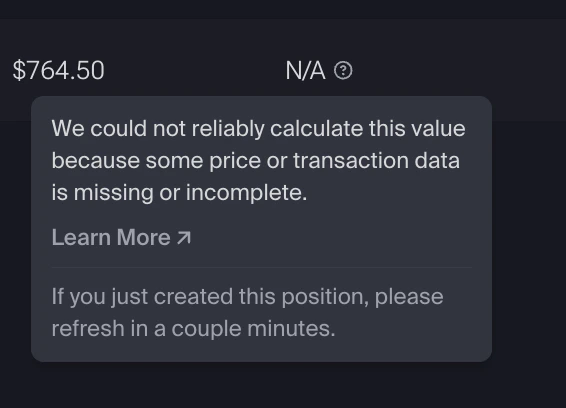
Some positions may show N/A for PnL or duration. This means the required data could not be calculated or is not currently available.Common reasons include:
The position was opened before January 2026. PnL tracking started in January 2026, so older positions may not have the historical data needed to calculate PnL. This is expected and not an error.
The position was created or updated very recently, and values have not loaded yet.
Price data is temporarily unavailable.
The N/A tooltip explains why a value could not be calculated.
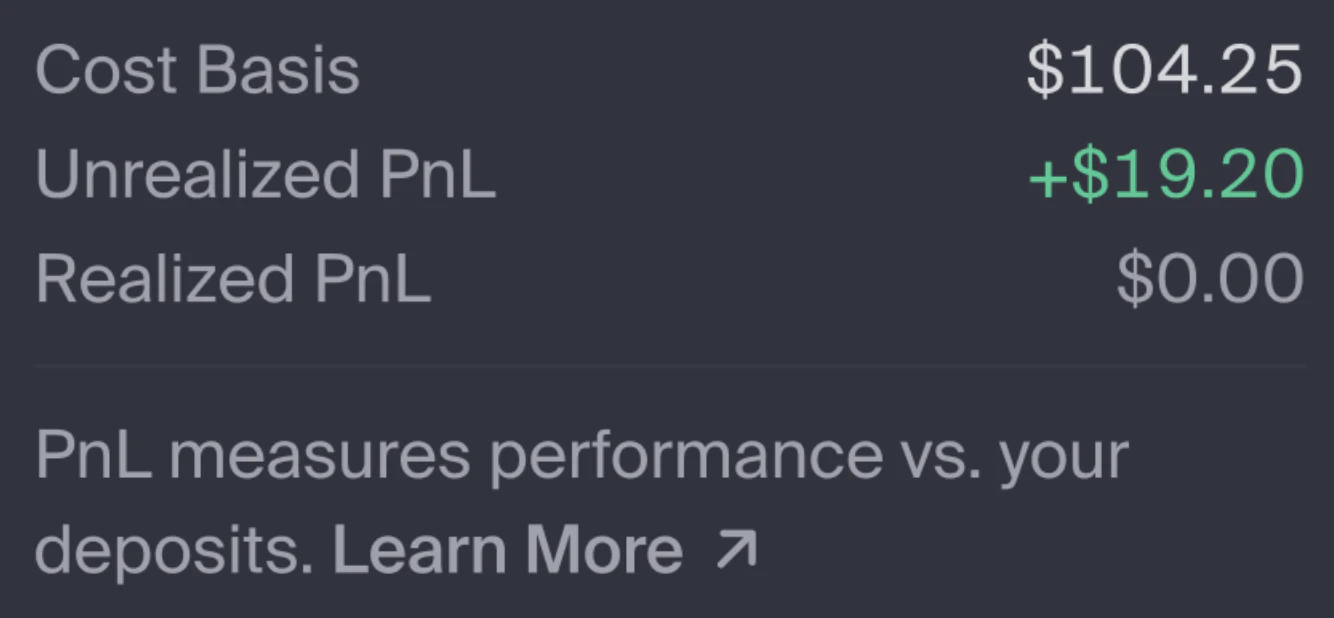
Cost basis is the total dollar value of tokens deposited into a position, recorded at the time of each deposit. It is used to calculate displayed PnL metrics.
It increases when you add liquidity.
It decreases when you withdraw liquidity.
Realized PnL
Realized PnL is PnL associated with completed actions, such as:
Harvesting fees
Harvesting rewards
Withdrawing liquidity
Closing a position
Once recorded, realized PnL does not change in the displayed metrics.
Unrealized PnL
Unrealized PnL is the current PnL for assets still inside an open position.It can change as token prices move and as fees or rewards accrue.
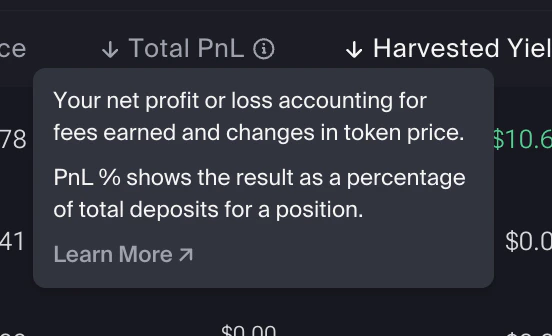
Total PnL
Total PnL is calculated as:
Total PnL = Realized PnL + Unrealized PnL
It represents the displayed PnL for the position so far.
Total PnL measures the position relative to what was deposited into the position. It does not compare the position to simply holding the deposited tokens outside the pool.
PnL Percentage
PnL% is calculated using total lifetime deposits into the position.Withdrawals do not reduce the denominator. This keeps the displayed percentage calculation consistent over time and avoids distortions when liquidity is removed.
If price data is unavailable, N/A will be displayed.
When a position is closed, remaining PnL is treated as realized in the displayed metrics and cost basis resets to zero.
Position History is a tab in the Liquidity Terminal alongside Positions and Position Simulator.It provides a recorded history of supported liquidity actions tied to your positions.
Position History only includes supported actions from January 2026 onward. Liquidity actions taken before that date will not appear. This is expected and not an error.
Each entry includes:
Field
Description
Pool
The pool associated with the action
Time of action
When the action occurred
Position address
The onchain position address
Transaction signature
The transaction ID onchain
Liquidity action
Open position, Increase liquidity, Decrease liquidity, Collect fees, or Close position
Token changes
Tokens added or removed
Entries are recorded after the relevant action is indexed. You can filter by pool and liquidity action. Transactions are shown newest first.
Position History and PnL metrics can help you review:
PnL for active and closed positions
Realized and unrealized components of displayed PnL
Cost basis used in displayed calculations
Recorded liquidity actions over time
Orca PnL is an informational display metric. It may not include every factor relevant to your own accounting, tax, or performance analysis, such as external transfers, off-platform activity, taxes, slippage, priority fees, or other costs. Consult a tax or accounting professional for your specific situation.
Displayed PnL is based on Orca’s available position data, price data, cost basis, realized PnL, deposits, withdrawals, fees, and rewards.It may differ from your own calculations if you include additional factors such as off-platform activity, taxes, slippage, priority fees, external transfers, or other costs.
What's the difference between realized and unrealized PnL?
Realized PnL is PnL associated with completed actions, such as harvesting fees or closing part or all of a position.
Unrealized PnL is PnL for assets still inside an open position, including accrued but unharvested fees and rewards where available.
Does unrealized PnL include unharvested fees and rewards?
Yes. Accrued but unharvested fees and rewards are included where supported data is available.
How is PnL % calculated?
PnL% is based on total lifetime deposits into a position.Withdrawals do not reduce the denominator. This keeps the displayed percentage calculation consistent over time and avoids distortions when liquidity is removed.
Why are some of my old positions or actions missing?
Position History and the Closed Positions tab only include supported data from January 2026 onward. Actions taken before that date will not appear because they predate when tracking began.
Why is "N/A" shown for PnL % or duration?
“N/A” appears when the required data is not available to calculate a value.This may happen if:
The position was opened before January 2026. PnL tracking started in January 2026, so older positions may not have the historical data needed to calculate PnL or duration. This is expected and not an error.
The position was created or updated very recently, and values have not loaded yet.
Price data is temporarily unavailable.
The N/A tooltip explains why a value could not be calculated.
Why doesn't my closed position appear immediately?
It may take time for completed transactions to appear in the Closed Positions tab.
What happens to PnL when I close a position?
When a position is closed, remaining PnL is treated as realized in the displayed metrics and cost basis resets to zero.
Can I export my Position History?
Not at this time.
Does Position History update over time?
Position History entries do not change once recorded, but newly indexed supported actions may be added over time.