
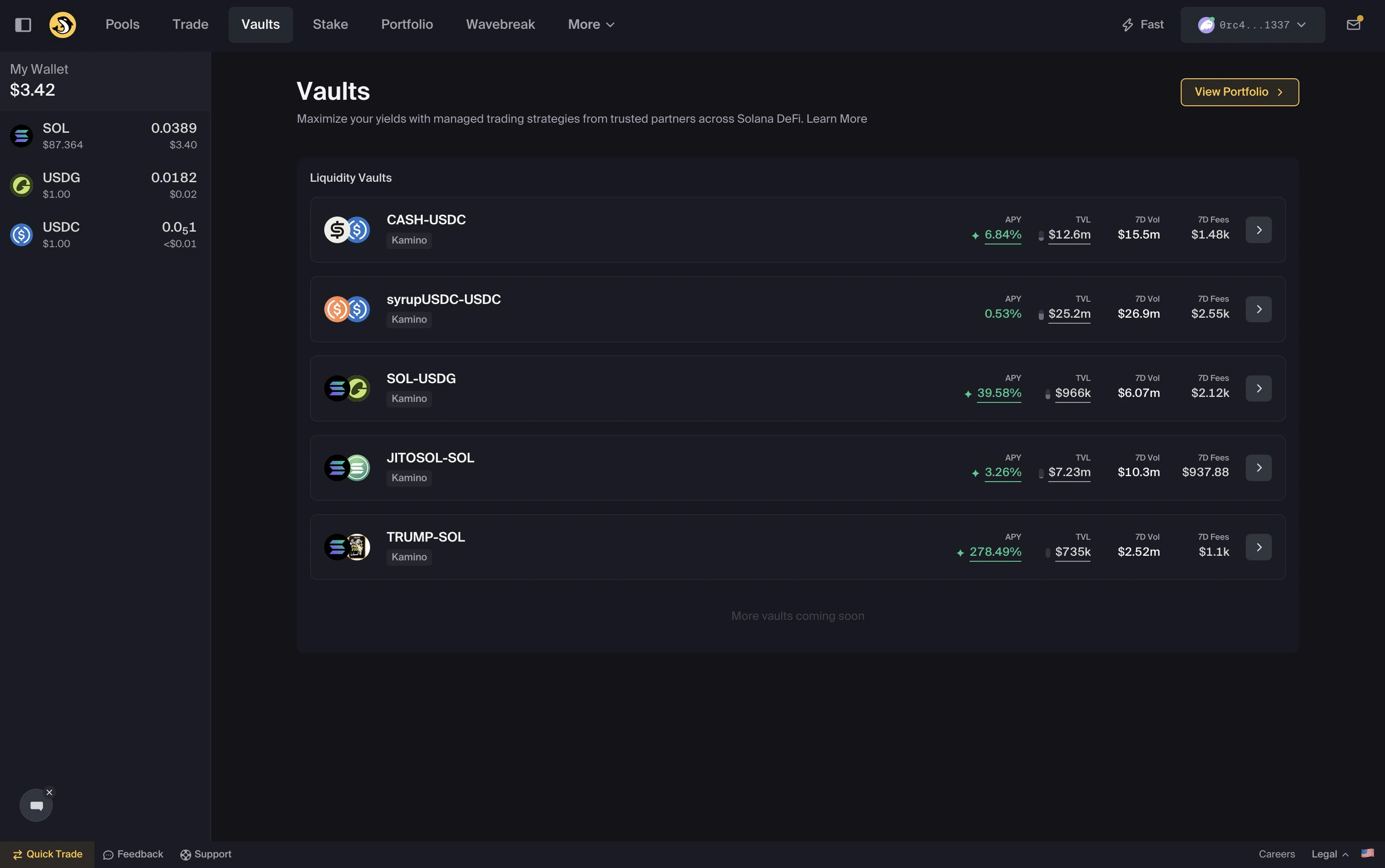
Vaults on Orca
What are Vaults
What are Vaults
Vaults are automated liquidity strategies.You deposit assets into a Vault, and the strategy manages the underlying liquidity according to its design. Yield may accrue depending on trading activity, rewards, fees, strategy performance, and market conditions.Vaults may require less manual management than standard liquidity positions, but you should still review your position, strategy details, and risks.
Why use Vaults?
Why use Vaults?
Vaults can simplify parts of liquidity provision by managing liquidity ranges and rebalancing according to the Vault strategy.Outcomes are not guaranteed. Vault performance depends on the strategy, market conditions, liquidity, trading activity, fees, rewards, and token price movement.
How it works
How it works
- Choose a Vault
- Deposit tokens, using one or both supported assets where available
- The strategy allocates liquidity according to its rules
- Yield may accrue over time
- Withdraw where available, subject to strategy, liquidity, network, and transaction conditions
Autoswap
Autoswap
Vaults may support single-token deposits and withdrawals through Autoswap.Autoswap may swap tokens to help match the required deposit or withdrawal ratio. You may also be able to choose the route source used for the swap.You do not need to swap manually before depositing or withdrawing, but you should still review the quoted output, price impact, fees, slippage setting, route source, and final amounts before confirming.
What the strategy does
Each Vault runs a strategy that may:- Allocate liquidity across price ranges
- Rebalance as market conditions change
- Compound yield back into the position, where applicable
- Manage liquidity according to predefined strategy rules
Vault strategies are automated, but they do not remove risk. Review strategy details, Vault capacity, APY, token pair, and transaction details before depositing.
What you see on a Vault page
Clicking into a Vault opens its detail page. Four sections are useful to review: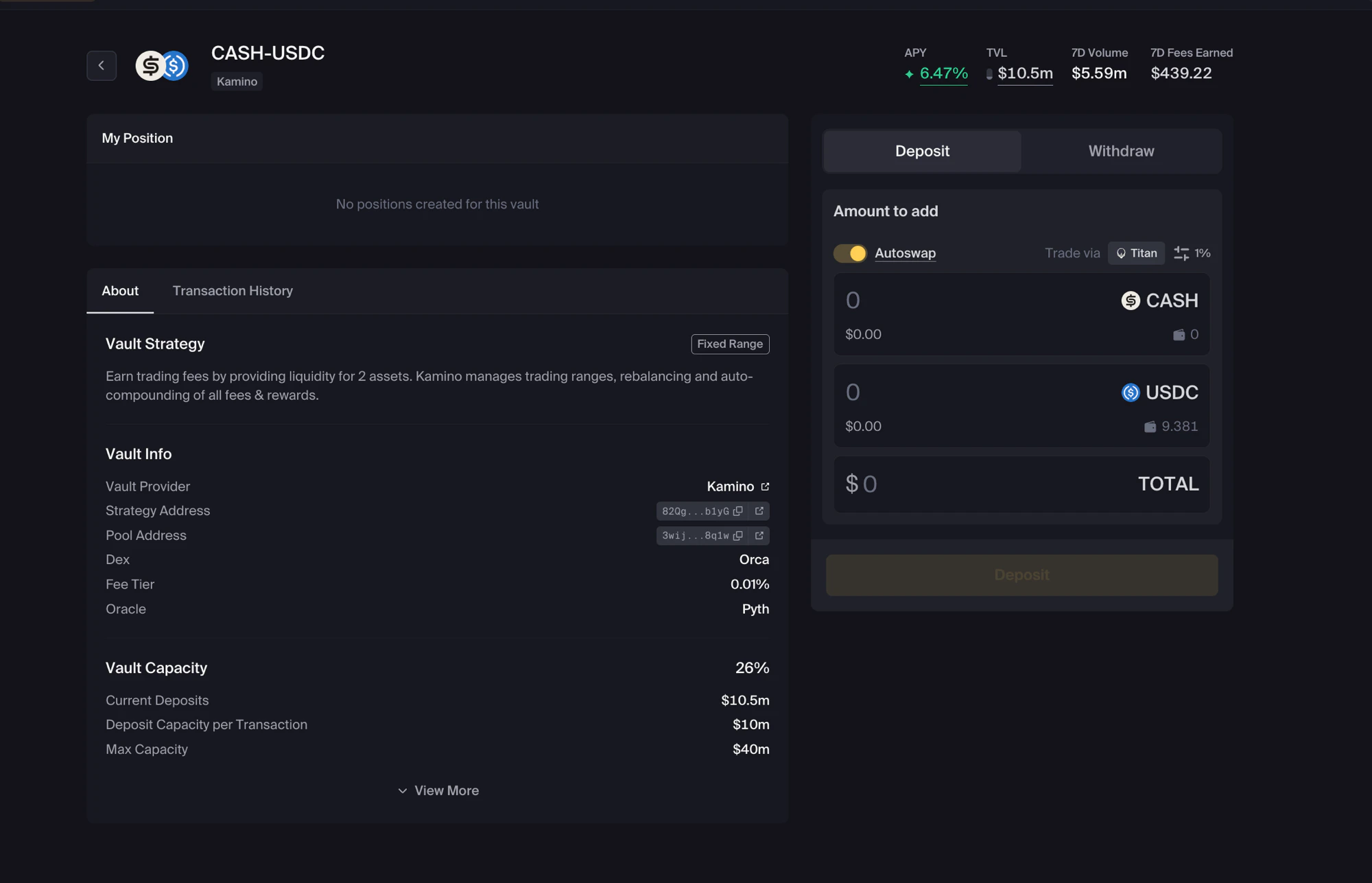
A Vault detail page: strategy info on the left, deposit/withdraw on the right
Vault Strategy
A short label at the top describes the strategy type. For example, Fixed Range may indicate a Vault that deploys liquidity across a predetermined range.Vault Info
Vault Capacity
Vaults may have limits on how much they can accept.
If a Vault is near capacity, your deposit may be capped or rejected.
My Position and Transaction History
If you have deposited, the My Position section shows your Vault position. The About and Transaction History tabs let you switch between Vault strategy details and your own activity.Key concepts
Risks
Vaults involve risk, including:- Smart contract risk
- Strategy risk
- Token price movement
- Market volatility
- Impermanent loss or divergence loss
- Slippage and transaction costs
- Liquidity and capacity limits
- Reward or APY changes
- Position data delays after transactions