
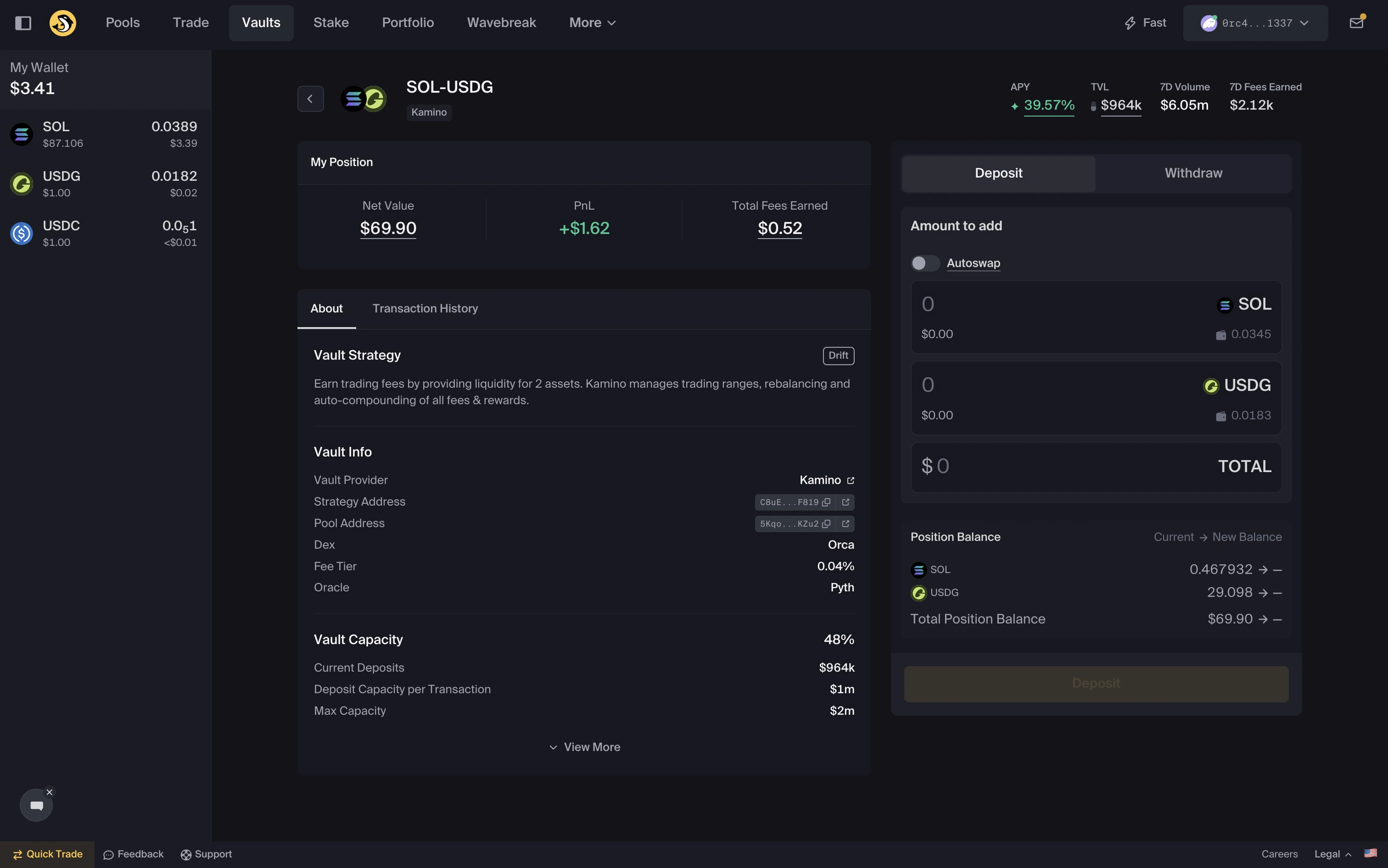
Deposit into a Vault
- Navigate to the Vaults page.
- Select a Vault.
- Select
Deposit. - Enter your token amounts.
- Review the deposit details.
- Confirm the transaction in your wallet.
Choose how to deposit
You can deposit using one or both Vault tokens. The Autoswap toggle lets you deposit with a single token where supported.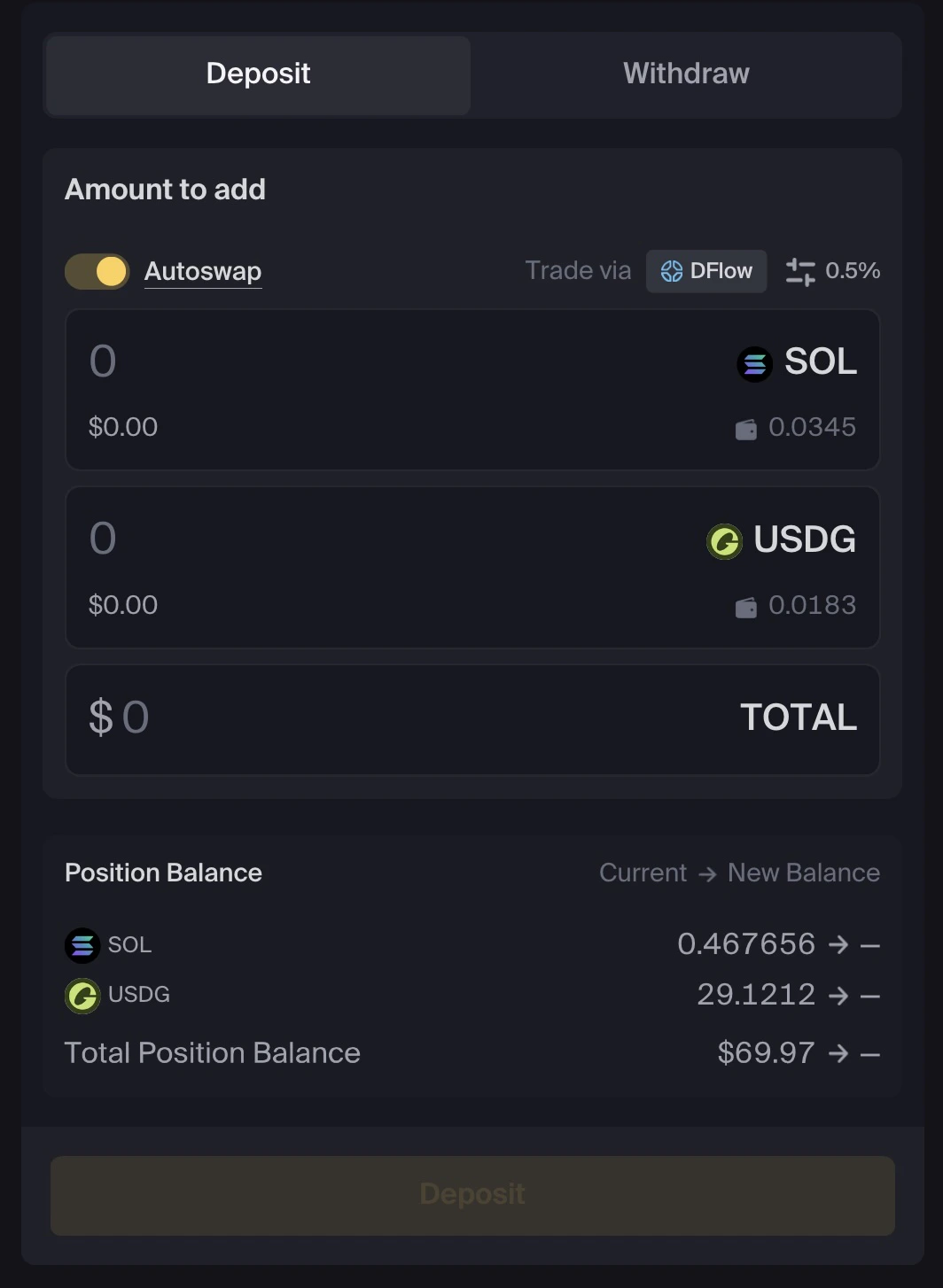
- Enter both token amounts
- Deposit a single token, where supported
What happens after you deposit
After your transaction confirms:- Your Vault position is created
- Your deposit is allocated according to the Vault strategy
- Your position appears in Portfolio
Common issues
Transaction failureTransactions may fail because of network conditions, slippage settings, route availability, insufficient balance, or changing market conditions. Review the quote and wallet prompt before trying again. Position not visible
Wait 1–2 minutes for data to update. If the position still does not appear, refresh the page and confirm that you are connected with the correct wallet. Insufficient balance
Make sure you have enough tokens for the deposit and enough SOL for network fees and any required account costs.