
The basic idea
Vaults follow a simple flow: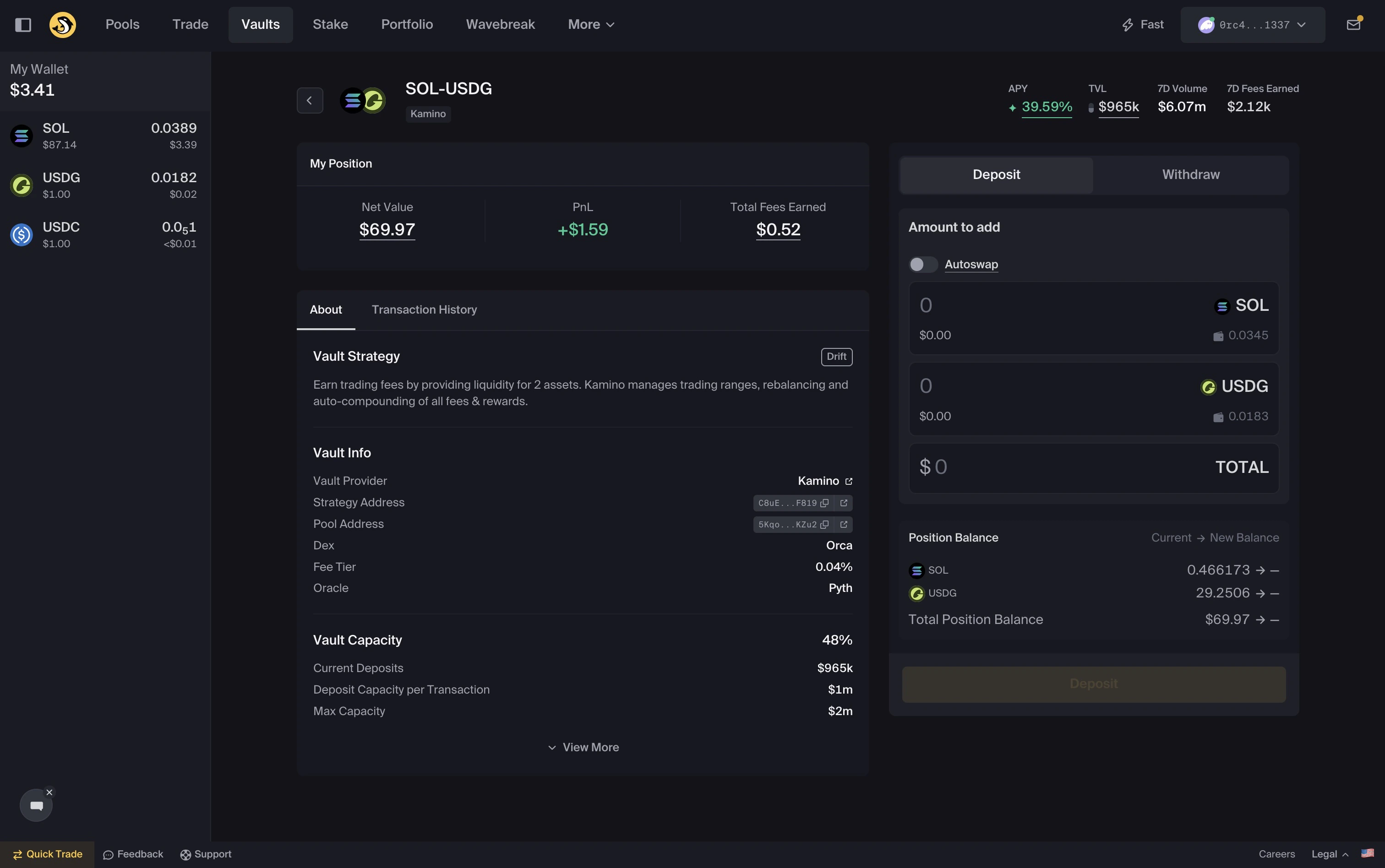
Deposit and withdraw with one token
Orca Vaults may support single-token deposits and withdrawals. You can enter or exit a Vault position using one asset where supported. Autoswap may swap tokens to help match the required Vault deposit or withdrawal ratio. For example:- Deposit using only SOL into a SOL–USDC Vault, where supported
- Withdraw into only USDC, where supported
What you will need
Before using Vaults:- A funded and connected wallet
- At least one of the required tokens for your chosen Vault
- Enough SOL to cover network fees and any required account costs
Quick start
Choose your Vault
Choose your Vault
Browse available Vaults and review:
- APY
- TVL
- Token pair
- Strategy details
- Capacity, where applicable
Deposit
Deposit
- Select a Vault and enter your deposit amount. You may be able to deposit one or both tokens.
- Review the deposit details, including any Autoswap details where applicable.
- Confirm the transaction in your wallet.
- Your Vault position is created
- Your deposit is allocated according to the Vault strategy
Yield
Yield
After depositing:
- Your position may accrue yield based on the Vault strategy
- Yield may be compounded according to the Vault strategy, where applicable
- Position data updates over time
Track your position
Track your position
View your Vault positions in Portfolio.You can review:
- Total value
- APY
- PnL
Withdraw
Withdraw
To withdraw some or all of your Vault position:
- Open your Vault position.
- Select
Withdraw. - Choose whether to receive one or both tokens, where supported.
- Review any Autoswap details, quoted output, price impact, fees, slippage setting, and final amounts.
- Confirm the transaction in your wallet.
Notes
- Deposits may be disabled if a Vault reaches capacity.
- Yield is not guaranteed and may change over time.
- Vault strategies can be affected by market conditions, liquidity, token prices, and smart contract risk.
- Always verify balances in your wallet after transactions.
- Network conditions may affect confirmation times.
- Review all wallet prompts before signing.